Buying and selling luxury items online is convenient. It is also risky.
A designer handbag, sneaker, watch, or accessory can look convincing in a listing photo and still be a counterfeit. Superfakes are built to pass casual inspections. A wrong font, inconsistent stitching pattern, incorrect hardware engraving, or mismatched production detail may be the only clue.
So how do you authenticate luxury items online without visiting a store?
Use a professional online authentication service that accepts clear photos, uses technology for preliminary screening, and escalates the authentication to qualified human experts.
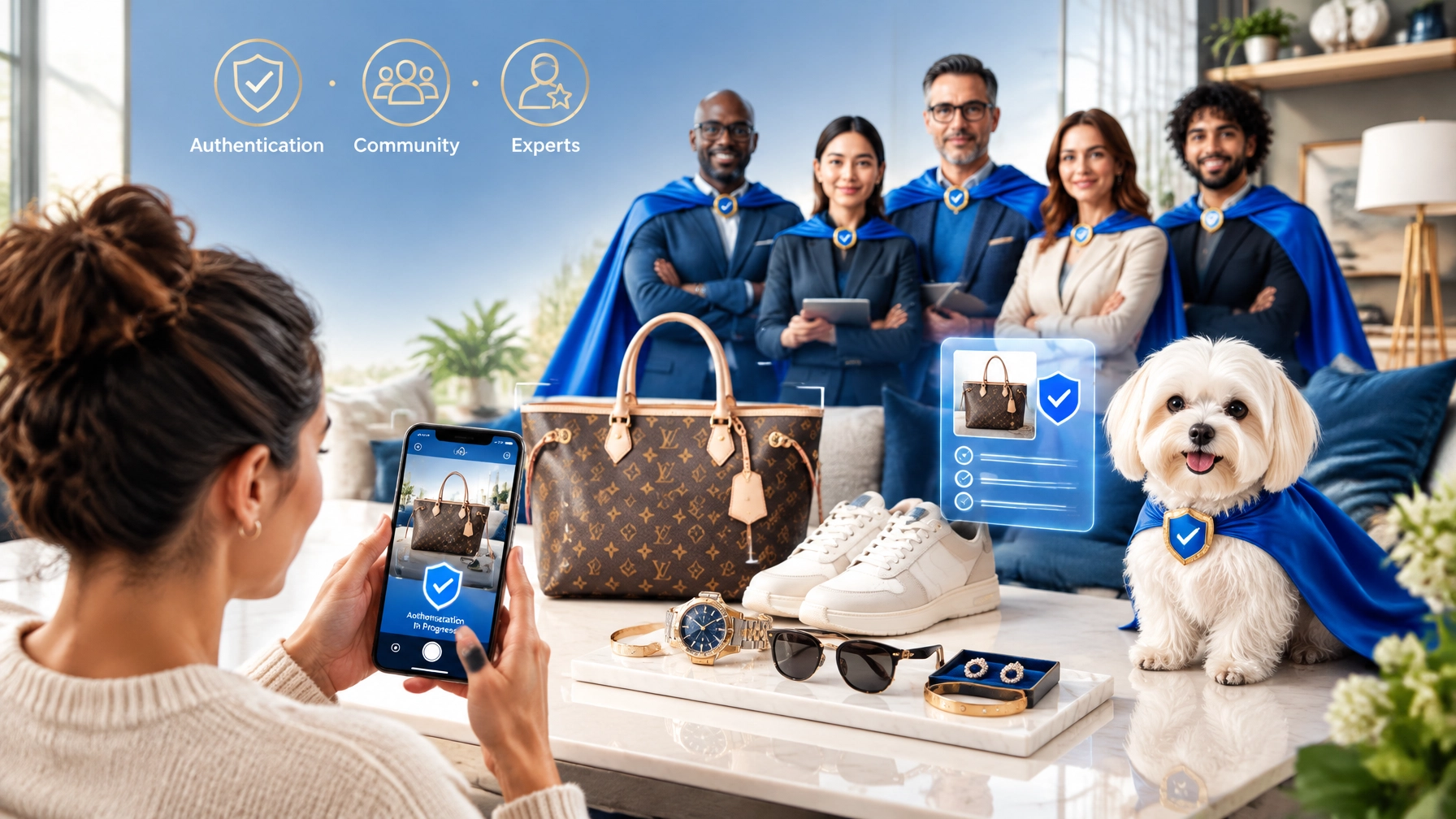
Authenticate Pro’s patented process is built around ACE: Authentication · Community · Experts. The goal is simple: give buyers and sellers a practical way to make better decisions before money, inventory, or reputation is at risk.

What Is Virtual Authentication?
Virtual authentication is the process of reviewing an item remotely using detailed photos and digital information.
You do not need a storefront. You do not necessarily need to ship the item. If you have the item in your home, you can usually photograph the important details with your phone and submit them through an app or website.
A professional process may include:
- Photo submission
- Brand and item identification
- AI-assisted preliminary screening
- Review by qualified human experts
- A clear conclusion
- A digital report or certificate, depending on the service selected
AI can help identify patterns and highlight possible concerns. But AI-only results should not be treated as the final word on a high-value luxury item.
At Authenticate Pro, authentications move to human experts to achieve approximately 99% conclusion accuracy, based on the company’s reported results from its last 2,000 authentications. That human escalation matters, especially when dealing with high-quality replicas and incomplete listing photos.
Why Human Experts Matter
A photo may show that a bag has the correct general shape. It may not show whether:
- The stitching tension is consistent
- The logo spacing matches the brand’s standards
- The hardware engraving has the correct depth
- The date code or serial format fits the item’s production period
- The material, edge paint, lining, or construction is correct
- The sneaker’s shape and label details match the specific release
These details require context.
A human expert can compare multiple features together instead of relying on one visual match. They can also identify when the available images are not sufficient for a confident result.
That is the strength of the Experts part of ACE.
The Authentication part provides the formal review process. The Community element connects buyers, sellers, resellers, and brand specialists around a shared goal: keeping counterfeit merchandise out of legitimate transactions.
The Photo Checklist: What to Photograph
Good photos produce better results. Do not submit one front-facing image and expect a reliable professional authentication.
Use a plain background. Photograph in bright, even light. Avoid filters, flash glare, heavy shadows, and blurry close-ups.
For Designer Handbags
Aim for 8–12 clear photos, unless the authentication service provides a different brand-specific checklist.
✅ Photograph:
- Front, back, left side, right side, and bottom
- Overall silhouette and structure
- Interior lining and interior pockets
- Brand stamp, logo, or heat stamp
- Serial number or date code, where applicable
- Zippers, pulls, clasps, studs, feet, and other hardware
- Handle bases, strap attachments, and corners
- Stitching and edge paint
- Dust bag, box, receipt, tags, or authenticity cards, if available
❌ Do not rely on:
- A single glamour photo
- Images copied from the brand’s website
- Blurry photos of the code or logo
- Photos where the interior is hidden
- A receipt or authenticity card as proof by itself
Packaging and paperwork can help establish context. They can also be copied or faked. The item itself remains the primary subject of authentication.
For Sneakers
✅ Photograph:
- Outer and inner sides of both shoes
- Toe boxes and heels
- Outsoles and midsoles
- Tongue tags and interior size labels
- Production information and printed codes
- Box label, size, colorway, and barcode
- Stitching, panels, logos, and heel shape
- Laces, inserts, tissue paper, and other packaging
❌ Avoid submitting:
- Only the top view
- Photos with the size tag covered
- Cropped images that hide the heel or outsole
- Screenshots from another listing
- Photos where the box belongs to a different pair
For sneaker authentication, small differences in shape, label spacing, print quality, and outsole patterns can be significant.
For Watches, Jewelry, and Accessories
✅ Photograph:
- Front and back
- Maker’s marks and hallmarks
- Engravings and serial numbers
- Clasps, hinges, links, and closures
- Hardware and logo details
- Interior tags and care labels
- Box, warranty card, or paperwork, if available
Use several angles. A close-up should be close enough to show detail but far enough to keep the feature in focus.
Common Listing Photo Red Flags
Before you buy, inspect the seller’s photos carefully.
Warning signs to watch for
❌ Stock or stolen images
The photos look like brand advertising, show a perfect studio setup, or appear elsewhere online.
❌ Missing detail shots
The listing shows the front of a bag but not the interior, corners, stamp, hardware, or code area.
❌ Blurry or strategically dark photos
Poor image quality may be accidental. It may also hide sloppy stitching, incorrect logos, or weak hardware.
❌ Inconsistent lighting
The “same” item appears to have different backgrounds, shadows, or color tones in each photo.
❌ Codes that are cropped or blurred
Where a brand uses a code, the seller should be able to show it clearly. A code alone does not prove authenticity, but avoiding it is a concern.
❌ Pressure to pay immediately
Be cautious when a seller pushes you to pay through an off-platform method, sends a private payment link, or claims someone else is ready to buy.
❌ A price far below market value
A low price is not proof of a counterfeit. It is a reason to slow down and verify the item before purchasing.
Ask for fresh photos taken that day. Request a specific detail, such as the interior stamp beside the zipper pull or the heel label next to the box. A legitimate seller with the item in hand should usually be able to respond.
How to Authenticate Online: A Simple Workflow
1. Identify the item
Record the brand, model, category, color, size, condition, and any known production details.
Do not guess if you are unsure. Select the closest category and provide notes.
2. Take complete photos
Follow the checklist above. Photograph the item as it exists now, not after editing or cleaning.
If you are a reseller, photograph the item before listing it. Save the original images.
3. Choose the right review level
Authenticate Pro publishes several options:
- Quick Check: generally listed at 20 minutes to 12 hours
- Express Authentication: approximately 15 to 60 minutes, depending on expert availability
- Level 2 Authentication: generally 12 to 48 hours
- Price Check: an estimated resale value, provided as an “As Is” opinion
Published pricing may change. The current Authenticate Pro pricing page lists non-member prices of $24 for Quick Check, $30 for Express Authentication, and $50 for Level 2 Authentication. A $1.45 processing fee applies to services when creating an order. A PDF report may be available for an additional fee.
For frequent resellers, the membership program includes different pricing and store-focused options.
4. Upload the photos
Submit the full set. Include notes about wear, repairs, missing accessories, or unusual features.
Daisy AI may assist with a preliminary finding. For professional authentication, select a workflow that escalates the item to human experts for the final conclusion.
5. Review the result
Read the report carefully. Save it with your purchase records or listing documentation.
If the images do not support a confident conclusion, provide additional photos or use a higher review level. A responsible service should not force certainty when the evidence is incomplete.

What Does Online Authentication Cost?
The cost depends on the item, speed, membership status, report type, and any guarantee option.
Current published pricing includes:
- Quick Check: $24 for non-members
- Express Authentication: $30 for non-members
- Level 2 Authentication: $50 for non-members
- Price Check: $10
- PDF report: $5
- Processing fee: $1.45 per service order
An optional guarantee upgrade may also be available. Authenticate Pro states that guarantee terms can depend on the authentication level and whether an AP Ziptie remains attached and intact.
That detail matters for online sellers. If you use a Ziptie or other item identifier, photograph it in the listing and explain the buyer’s authentication terms clearly. Removing or tampering with the identifier may void applicable coverage.
Always confirm the current price, turnaround time, brand coverage, and guarantee terms before placing an order.
When Photo-Based Authentication Is Not Enough
Photo-based authentication is useful. It is not magic.
You may need additional review when:
- The item is exceptionally high value
- The photos are incomplete
- The item has been heavily repaired or altered
- The model is rare or difficult to identify
- The seller refuses to provide requested images
- The result is uncertain or inconclusive
- The item received does not match the listing photos
If the item in hand differs from the photos submitted, do not assume the prior result applies. Photograph the actual item and request a new review.
For certain products and situations, hardware-assisted or in-person inspection may be appropriate. For example, Entrupy explains its own hardware-based approach to bag authentication. The right method depends on the item, the risk, and the level of documentation you need.
The Bottom Line
You can authenticate online from your living room. The process is straightforward:
- Get the item in hand whenever possible.
- Photograph every important detail.
- Watch for listing and seller red flags.
- Choose a professional review level.
- Use AI for assistance, not as the only decision-maker.
- Make sure the authentication moves to human experts.
- Save the report with your purchase or resale records.
For online thrifters, resellers, and TikTok Shop sellers, professional authentication can protect more than one transaction. It can protect your margin, your customer relationships, and your reputation.
Learn more about Authenticate Pro’s patented authentication process at AuthenticatePro.app. The goal is practical confidence through Authentication · Community · Experts.

Frequently Asked Questions
Can I authenticate a designer bag using only listing photos?
You can request a preliminary review using listing photos, but the result depends on image quality and completeness. For the strongest review, ask the seller for fresh photos of the interior, stamp, hardware, corners, stitching, and code areas.
How fast can online authentication be completed?
Authenticate Pro lists Quick Check at approximately 20 minutes to 12 hours, Express Authentication at roughly 15 to 60 minutes, and Level 2 Authentication at 12 to 48 hours. Timing depends on expert availability and the selected service.
Is AI authentication enough for superfakes?
AI can help with preliminary screening. For expensive items and superfakes, choose a process where the authentication is escalated to human experts. Human review is essential when small construction and brand-specific details determine the conclusion.
Does a receipt prove a luxury item is authentic?
No. Receipts, boxes, tags, and authenticity cards can provide useful context, but they can also be copied. The item’s construction, materials, branding, hardware, and other physical details must be reviewed.
Leave a Reply